
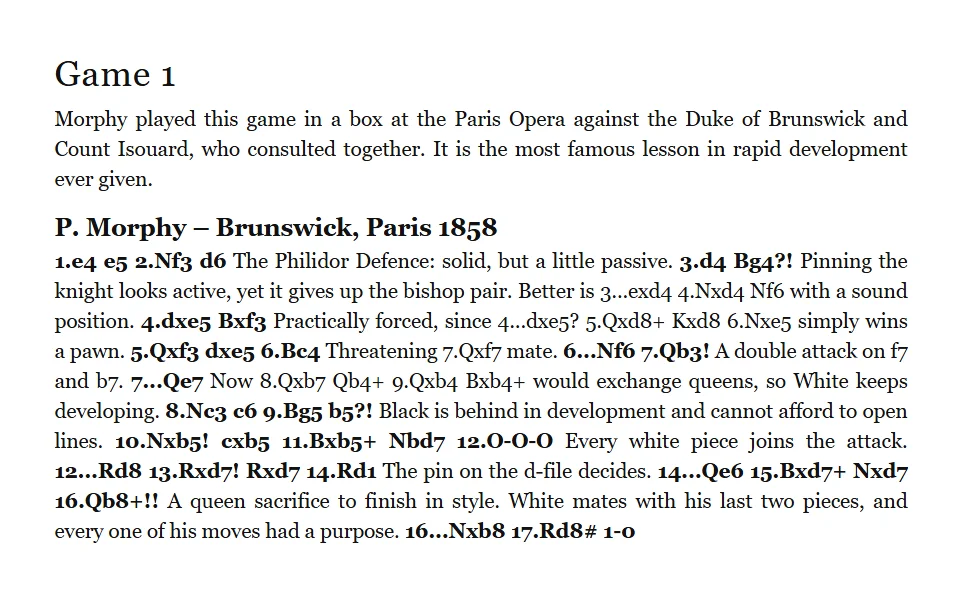
Main lines, variations & commentary
Captures move trees, annotations (!, ?, !!, ??), and prose comments so you can follow the author’s ideas while stepping through positions interactively.
PDF Chess Book Importer · Free & Offline
Stop flipping back and forth between a PDF reader and a chessboard. Open a digital PDF chess book you own in Ruru Chess to extract games, variations, commentary, and diagrams onto an interactive board — completely offline on Windows, with easy editing and PGN export.
How it works
Import a text-based PDF chess book you own directly from your Windows PC. Nothing is ever uploaded to a server.
Ruru reads algebraic and figurine notation, main lines, variations, author notes, and board diagrams straight from the pages.
Step through every line on an interactive board, fix any tricky layout spot in seconds, check claims with Stockfish, or solve exercise books in hidden-solution mode.
Keep your imported book as a searchable local database inside Ruru Chess or export clean standard PGN files.
Practical & transparent
Clean digital chess PDFs give the best results; complex multi-column layouts or scans may still need quick touch-ups right on the board.
Captures move trees, annotations (!, ?, !!, ??), and prose comments so you can follow the author’s ideas while stepping through positions interactively.
Exercise books open in training mode, hiding the solution moves until you try finding them on the board yourself.
Works best on clean digital text-based PDFs. Basic support for scanned pages via built-in Windows OCR is also included, though scan accuracy varies with print quality.
Your PDF books never leave your PC. No page limits, no subscriptions, and full editing plus PGN export under GPL/AGPL open-source licensing.
Why Ruru Chess
| Capability | Standard PDF reader | Ruru Chess (Free) |
|---|---|---|
| Play through variations & sub-variations | Manual setup on a separate board | Interactive board & editable move tree |
| Check author claims with Stockfish | Re-enter positions by hand | Built-in Stockfish, Lc0 & Maia analysis |
| Solve exercises without spoilers | Answers sit right below the diagram | Training mode hides solutions until solved |
| Export book games to standard PGN | Not possible | Direct export to clean .pgn or local DB |
| Privacy & cost | Free but static | Free, open source & 100% offline |
Questions & Answers
Clean digital (text-based) chess PDFs import cleanly and save hours of manual typing. Unusual layouts, older fonts, or scanned pages can require quick manual fixes directly in Ruru’s board editor.
Yes. Ruru Chess is 100% free and open source (GPL / AGPL) with no page caps and no paid pro tier.
No. All PDF parsing, diagram reading, and indexing run locally on your Windows PC, completely offline.
Digital text-based PDFs give much cleaner results. Basic support for scanned pages via Windows OCR is included, though results depend heavily on scan sharpness.
Yes. You can edit moves, comments, or variations right inside Ruru Chess, analyze with Stockfish, and export standard PGN files anytime.
Use Ruru Chess with books you own, for your own study. The text and annotations of a book belong to its author and publisher, so do not share the converted database unless you have the right to.
Free, open source, and 100% offline on Windows 10 & 11 — along with databases, Stockfish, opponent prep, and live shared study.